Skip to main content
Skip to footer
Opens in a new tab
FOR INVESTORS
SUPPORT
3rd pension pillar portal
FOR INVESTORS
SUPPORT
3rd pension pillar portal
Kļūt par klientu
EN
LV
RU
Kļūt par klientu
Kļūt par klientu
EN
LV
RU
Daily Banking
Daily Banking
INDEXO Bank
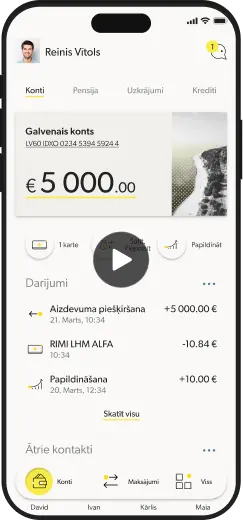
Mobile bank
INDEXO Bank plans
Become a customer
Questions and answers
Everyday services
Cards
Apple Pay
Google Pay
Payments
Purchase insurance
Savings
Savings vaults
Term deposits
Savings calculator
Pension 3rd pillar portal
Loans
Kredīts
Loans
Consumer credit
Mortgage loan refinancing
Home-secured loan consolidation
Home equity loan
Home loan
Pension 3rd pillar portal
Pension
Pension
Pension savings
Pension calculator
Why INDEXO
Index approach
2nd pension pillar
How does it work?
Investment plans
Results
Questions and answers
3rd pension pillar
How does it work?
Pension plans
Results
Questions and answers
For employers
Pension 3rd pillar portal
Join 2nd pension pillar
Join 3rd pension pillar
Kļūt par klientu
3. pensiju līmeņa portāls
News
News
News
Blog
News
For investors
App updates
Pension 3rd pillar portal
Par mums
Par mums
Company
Values and history
Company structure
Sustainability
Documents
Contacts
Career
Vacancies
Pension 3rd pillar portal
Pension 3rd pillar portal
Google Pay
Sākt izmantot
Instrukcija, kā uzstādīt Apple Pay
Instrukcija, kā uzstādīt Apple Pay
Questions and answers
Visi jautājumi
Iegūt
Iegūt
Choose which
product to join
INDEXO
Bank
A money manager that
works in your best interest
Join
INDEXO
2nd pension pillar
5% of your salary is already being saved in 2nd pension pillar. Invest it more effectively with INDEXO.
Join
INDEXO
3rd pension pillar
Make contributions to 3rd pension pillar and save using automated investment system.
Join
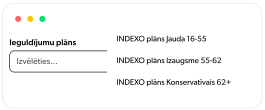
Choose the best plan for your age
16-55
INDEXO Jauda
Join
Documents and conditions
55-62
INDEXO Izaugsme
Join
Documents and conditions
62+
INDEXO Konservatīvais
Join
Documents and conditions
16-55
INDEXO Jauda
Join
Documents and conditions
55-62
INDEXO Izaugsme
Join
Documents and conditions
62+
INDEXO Konservatīvais
Join
Documents and conditions
Forwarding to Latvija.lv
is in progress
Identificējies
Authorize on the Latvija.lv portal using one of the available methods.
Izvēlies e-iesniegumu
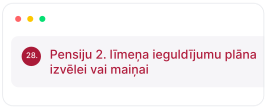
Submit e-application for selection or change the investment plan of 2nd pension pillar
Izvēlies e-iesniegumu
Choose an investment plan best for your age
Skip instructions - switch to Latvija.lv
Skip instructions - switch to Latvija.lv
Skip instructions - switch to Latvija.lv
Skip instructions - switch to Latvija.lv
To use INDEXO Bank,
download the app
.
1
Download
the app
2
Register
3
Use
INDEXO Bank
To use INDEXO Bank,
download the app
.
1
Download
the app
2
Register
3
Use
INDEXO Bank
1
1
1
Nepieciešama bezmaksas konsultācija?
3.290967%
3.474747%
3.588641%
3.709622%
3.911461%
4.009946%
Google Pay